-
Type:
Bug
-
Resolution: Unresolved
-
Priority:
 Major
Major
-
Component/s: core
Currently we are using Cloudbees Jenkins Enterprise [Jenkins ver. 2.7.20.0.2 (CloudBees Jenkins Enterprise 2.7.20.0.2-fixed) in our Project.
We used to update Build Description automatically by parsing log using Python and used jenkins-cli.jar [version=2.7.20] for updating description in each builds using "set-build-description" parameter.
Jenkins folder structure will be like Project Code–> Projects.
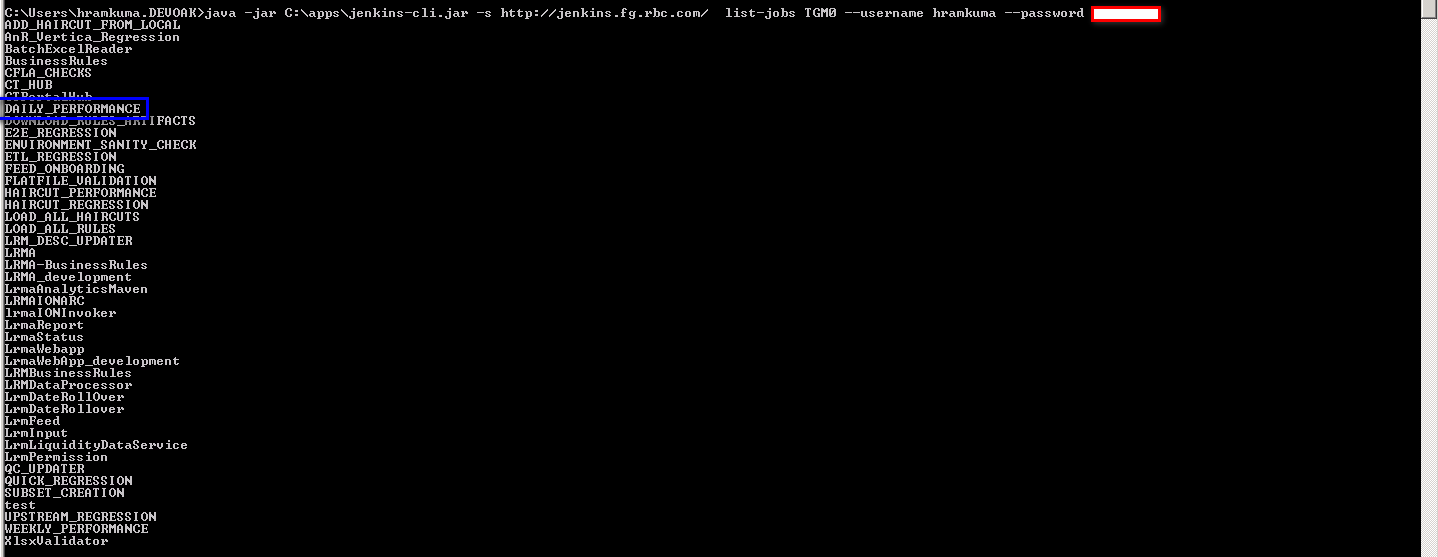
Eg: TGM0 is root folder and inside that we have Projects as sub folders as shown below

list-jobs --> list all root folders as shown below,

But when we try to execute the below command we're getting error as "no job found"
java -jar C:\apps\jenkins-cli.jar -s http://jenkins.fg.rbc.com/ set-build-description DAILY_PERFORMANCE 62 = --username hramkuma --password ** 0<"F:\Jenkins\workspace\TGM0\DAILY_PERFORMANCE\results\Performance_Daily\builddesc.txt"

But the job "Daily Performance" exists in TGM0 folder,
Kindly provide a solution for this.


