-
Type:
Bug
-
Resolution: Not A Defect
-
Priority:
 Minor
Minor
-
Component/s: core
-
Environment:Jenkins ver. 1.643. Windows 64-bit OS.
When a build artifact is an html file, I expect to be able to view it in Jenkins by clicking on it.

In this example, I would click on 'status.html' and see the HTML rendered in the browser.
So for example, the URL to the status.html is http://servername:8080/job/some_job_name/30315/artifact/status.html.
The bug in this case is that when viewing this URL, all the <style> information is missing.
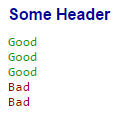
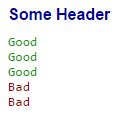
So instead of looking like this (GOOD):
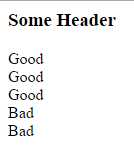
It looks like this (BAD, no style):
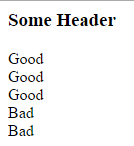
If I download the status.html from the Jenkins artifact and open it in Chrome, it looks good.
I attached the status.html for reference.
This is a regression, it is not seen in Jenkins ver. 1.590.