-
Type:
Bug
-
Resolution: Fixed
-
Priority:
 Minor
Minor
-
Component/s: credentials-plugin
-
2.4
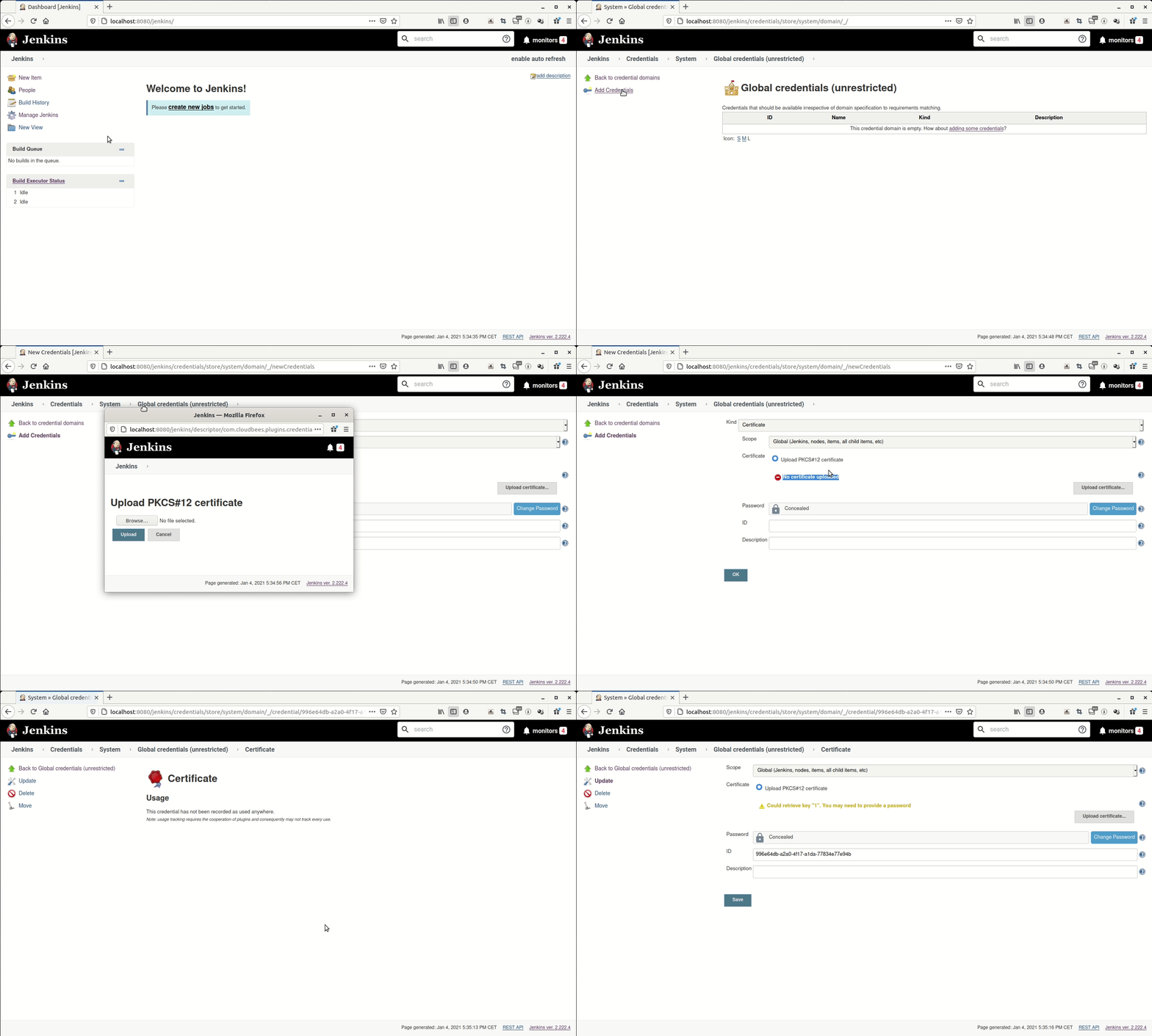
Issue: uploading a certificate pkcs#12 credential with the UI works but is confusing, because the UI is not refreshed after upload and make the user believe that it has not worked.
Please see gif in attach file.
Steps to reproduce:
I created a certificate by using:
openssl req -x509 -newkey rsa:4096 -keyout myPrivateKey.pem -out myCertificate.crt -days 3650 -nodes

openssl pkcs12 -export -out keyStore.p12 -inkey myPrivateKey.pem -in myCertificate.crt
mvn hpi:run on credentials-plugin (tested on }}{{credentials-plugin:master, with version 2.3.15-SNAPSHOT)
- create a credential
- kind: certificate
- upload PKCS#12 certificate, follow upload popup instructions
Expected: no more "No certificate uploaded" red message, but it stay there.
I took me a while to understand that it was uploaded anyway , it's working but really confusing for end users.