-
Type:
Bug
-
Resolution: Unresolved
-
Priority:
 Minor
Minor
-
Component/s: core
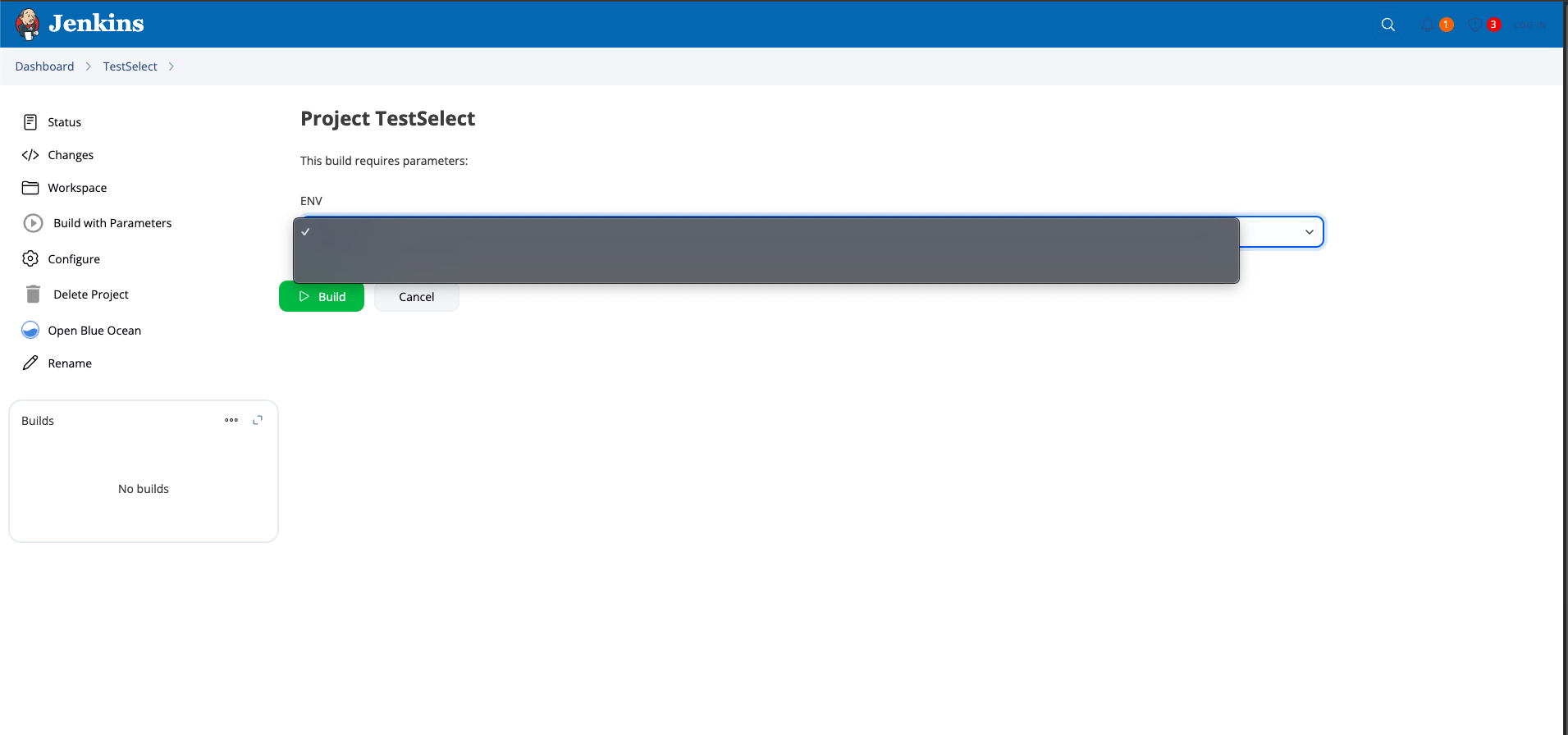
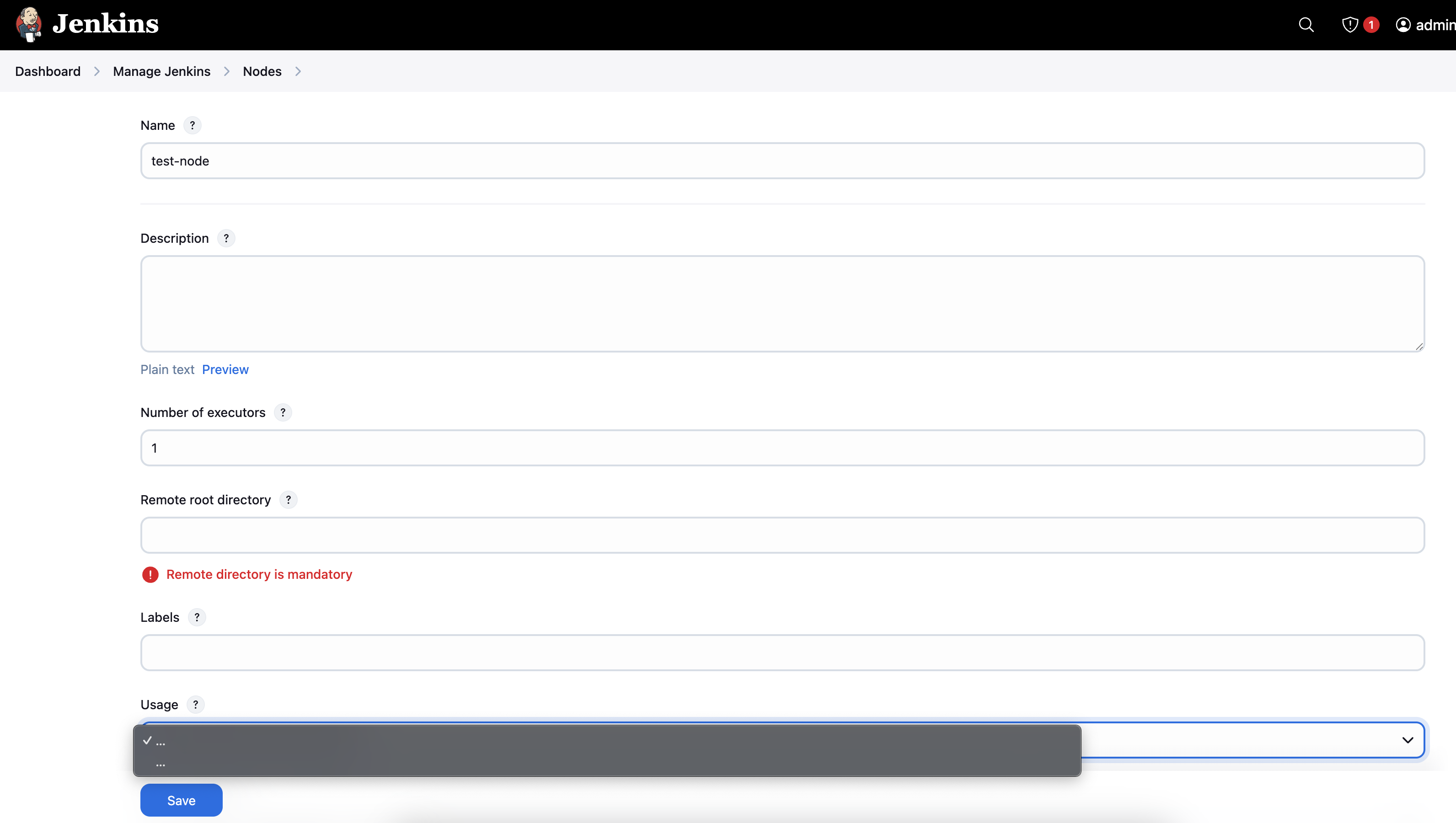
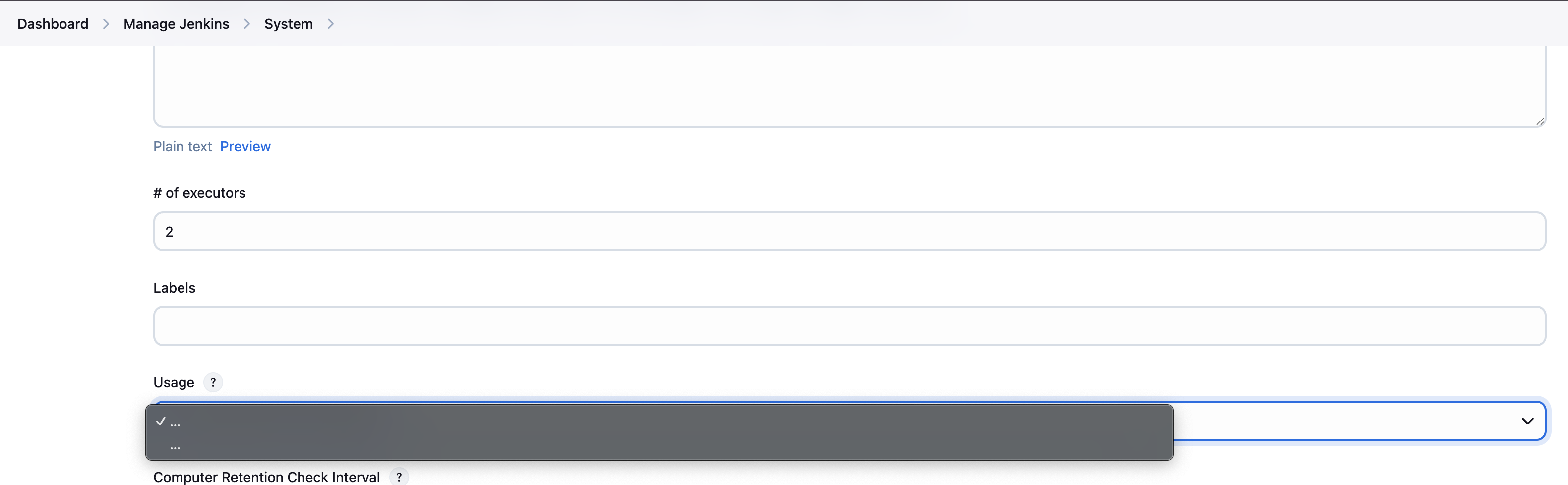
The issue is in the dropdown menu first found while creating a new agent. However, this issue is not limited to agent creation. I recreated the issue in the Manage Jenkins → System.
This issue is not happening on all the Dropdowns; on the System screen, I see a few dropdowns showing the option correctly, and some dropdowns showing the option incorrectly. Based on the resolution of the screen.
Steps to Reproduce
Browser Tested:
- Chrome
 Issue exist
- Edge Issue exist
- Safari
 Working fine
- Firefox Working fine
To reproduce the issue, you must use Chrome as a browser(possibly a chromium issue) and use the Zoom level at 100%. This is happening for Mac.
New Node
- Go to Manage Jenkins -> Nodes -> New Node.
- Assign a new name and Permanent Agent
- You can try to choose in any of the dropdown menus like Usage , Launch method or Availability and you will see the described behavior.
System Config
- Go to Manage Jenkins -> System
- Usage : Not rendering correctly
- Global Trusted Pipeline Libraries → Select Source Code Management as GitHub
-
- Discover branches --> Strategy : Not rendering correctly
- Discover branches --> Strategy :
-
- Discover pull requests from Origin: Rendered correctly for me based on the resoltion
- Discover pull requests from Origin:
-
- Discover pull requests from Fork: Rendered correctly for me based on the resolution
- Discover pull requests from Fork:
-
- Trust : Not rendering correctly
- Trust :