-
Type:
Bug
-
Resolution: Unresolved
-
Priority:
 Minor
Minor
-
Component/s: monitoring-plugin
-
None
-
Environment:Plugin: Monitoring Plugin
Plugin Version: 2.9.1
Jenkins Version: 2.568.2
Browser: All browsers (Chrome, Firefox, Edge)
Context Path: Tested with /jenkins context path
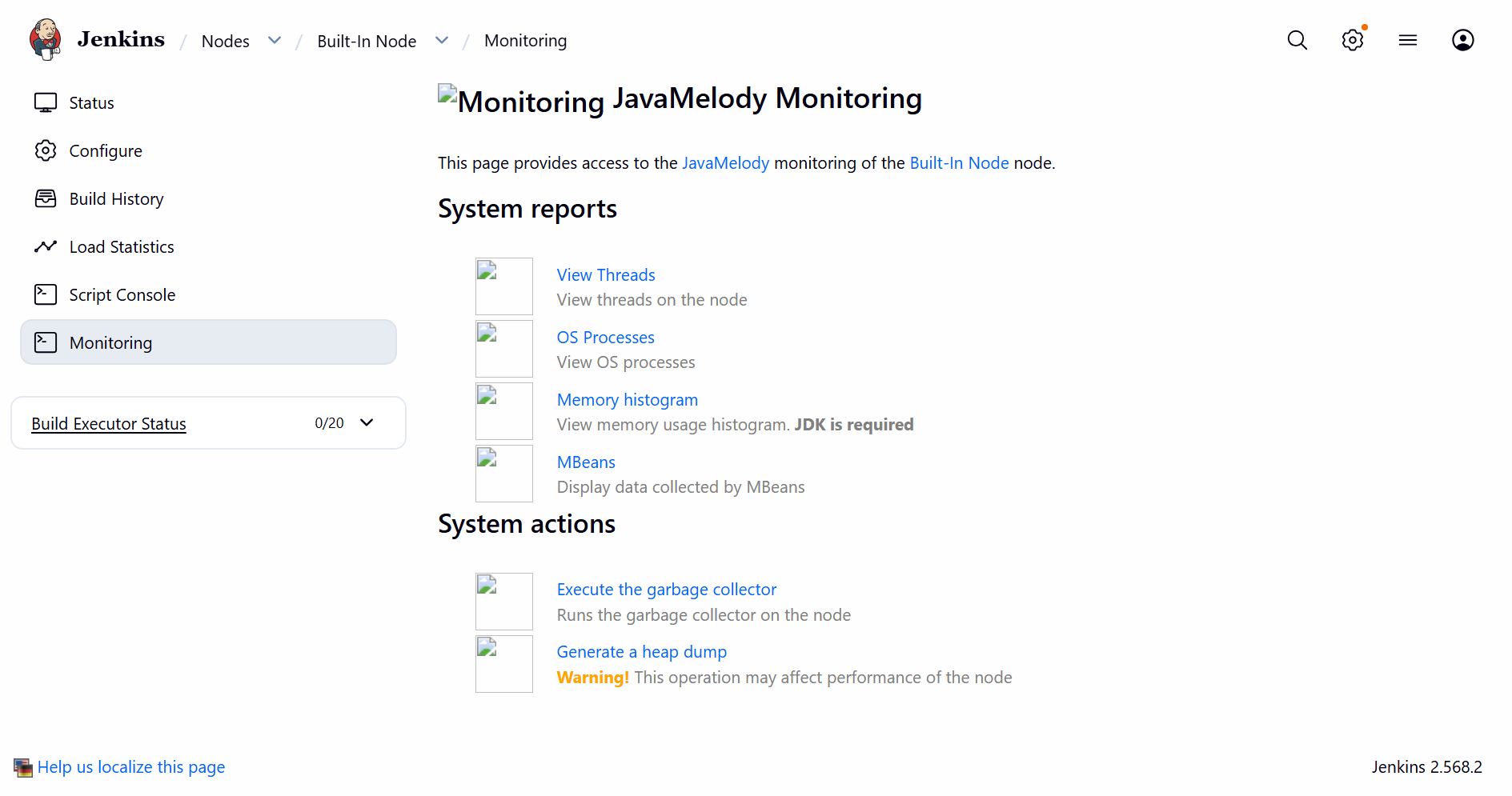
When navigating to a build node's Monitoring page (Computer → Nodes → Monitoring), the header icon and other icons under System reports and System actions fails to load. Browser inspection reveals the icon path resolves incorrectly due to an inconsistent relative path depth.
Steps to Reproduce:
- Navigate to: Manage Jenkins → Nodes → [Node Name] → Monitoring
- Observe the the header icons and other icons for below options under System reports and System actions are broken/not loading.
View Threads, OS Processes ,Memory histogram ,MBeans, Execute the garbage collector, Generate a heap dump
Expected Behavior : The header icon and all other icons should load correctly.
Broken Source URL (from browser inspection) for View Threads option:
<img src="/jenkins/../../../monitoring?resource=threads.png">
Expected Source URL:
<img src="/jenkins/monitoring?resource=threads.png">
Acceptance Criteria:
- All icons load correctly on Node Monitoring page
- Icons load correctly with various Jenkins context paths (/, /jenkins, /custom/path)
- No regression in other icons or links on the page
- Existing tests pass