-
Type:
Bug
-
Resolution: Fixed
-
Priority:
 Major
Major
-
Component/s: blueocean-plugin
-
1.0-pre-beta-1, pacific, 1.0-b05/b-06
Reproduction steps
- Go to a branch tab
- Click the run button of a branch
- Toast pops up "queued"
Expected (as per JENKINS-35813)
- Go to a branch tab
- Click on the run button of a branch
- Toast pops up "OPEN" where clicking open will open the result modal for the run in the queued state
Revised A/C
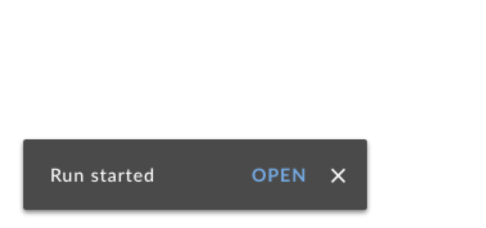
- Clicking a Run or Replay button should immediately produce a "Started" toast with an "OPEN" link that navigates the user to Run Details. No "Queued" toast should be displayed.
- Clicking a Stop button should immediately produce a "Stopping" toast. No further "Stopped" toast is necessary.
Tech Notes
- As part of these refinements, personalization should be updated to use the new RunButton and ReplayButton components.
- Try to remove any of the "capabilities" code in DashboardCards by leveraging some new capabilities code.
- Try to remove any use of IfCapability in dashboard
- is blocked by
-
-

- Closed
-