-
Type:
Bug
-
Resolution: Fixed
-
Priority:
 Major
Major
-
Component/s: core
-
Environment:https://weekly.ci.jenkins.io/job/folder/ Jenkins 2.496
https://ci.jenkins.io/ Jenkins 2.492.1
Windows 11 Chrome 133.0.6943.54 (Official Build) (64-bit)
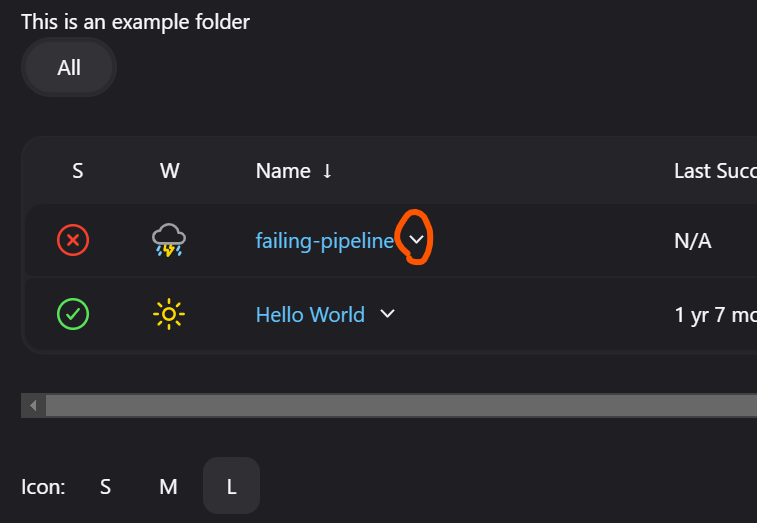
Steps to reproduce
Navigate to https://weekly.ci.jenkins.io/job/folder/
click on the downward pointing chevron next to a job name in the table (see circled element in screenshot)
Expected results
A menu is popped up with the actions from that job
Actual results
Nothing happens

- relates to
-
-

- Open
-
